Chrome extension for YouTube · MVP
Skim YouTube for the videos that fit your goal.
Describe your goal once in a profile. As you scroll YouTube’s home and search pages with the side panel open, Cherrypick rates how well each video you pass fits it, and lists the ones that do. Each verdict can cite the caption line it rests on.
- File
- Unpacked extension ZIP, v0.1.0, MVP
- Distribution
- Not on the Chrome Web Store. You load it yourself with Chrome's Developer mode. File size and SHA-256 are listed with the install steps.

Install
Four steps in Chrome
After step 4, click the Cherrypick toolbar icon to open the side panel (pin it from the puzzle-piece menu). Open Cherrypick’s Details → Extension options to create a profile and, for live analysis, paste your TypeSafe token.
Step 1: Extract the ZIP
Extract
cherrypick-0.1.0-unpacked.zip. macOS (double-click) and Windows (Extract All…) create a folder namedcherrypick-0.1.0-unpacked. Keep it somewhere permanent: Chrome loads the extension from that folder each time.Step 2: Open the extensions page
Go to
chrome://extensionsin Chrome on your desktop.Step 3: Turn on Developer mode
Use the switch in the top-right corner of the page.
Step 4: Load unpacked
Click Load unpacked and select the
cherrypick-0.1.0-unpackedfolder, the one that directly containsmanifest.json. Do not select its parent or the ZIP.
What you see
A short list, and the evidence behind each pick

Every score shows its reasons
Expand a result to see each criterion’s weight and verdict, each question’s answer, and the cited caption line with its timestamp. Every explanation sentence is assembled by Cherrypick from fixed templates, your profile and the video’s own captions. No AI-written summary.
- MatchCriterion met. Counts in full.
- PartialPartly met. Counts half.
- No matchNot met. Counts zero.
- UnknownNot enough evidence. Left out of the score, never counted as zero.
Citations are experimental. A caption is cited only when the provider marks supporting evidence, and Cherrypick does not check that the quoted line really supports the criterion.
Skip to the relevant part
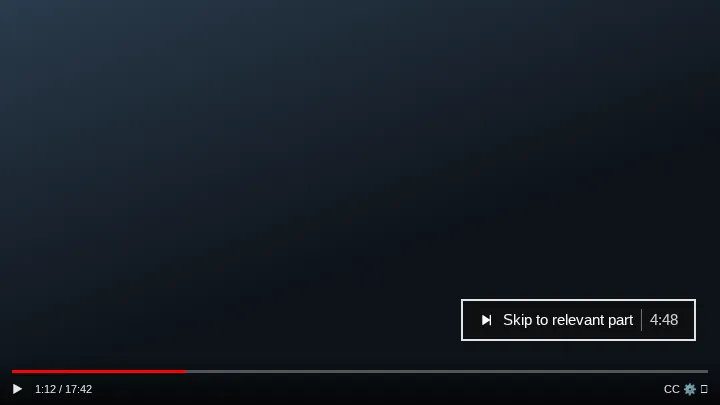
On a watch page, a Skip to relevant part button appears in the player when a fresh result for that video has a cited, timed caption line. Fixed rules pick the line with the most criterion support, and clicking it costs nothing and sends no request. It is a pointer, not a claim that this is the best part of the video.
How it works
It runs while you browse, inside limits you can see
Automatic analysis
While the side panel is open and a session is running, a video counts as seen once its card is at least half visible for 750 ms. Seen videos are evaluated one at a time, only while the YouTube tab is the active tab. There is no per-video Run button, and nothing is drawn on YouTube’s cards.
Profiles
A profile holds your goal, viewer context, constraints such as a maximum duration, up to 12 weighted criteria (some marked required) and up to 8 yes/no questions. Import and export profiles as files.
Fit scores
Cherrypick calculates the score from the verdicts: 80–100 is Strong fit, 50–79 Possible fit, 0–49 Poor fit. It is a rubric result, not a probability and not a quality rating. When too little of your criteria is known, no percentage is shown.
Usage controls
Each session allows 20 provider attempts, counted before each request is sent. The header shows what is left. Pause stops new requests at once. At the limit it stops and asks before allowing 20 more. Nothing is retried automatically.
Cherrypick only looks at the videos you scroll past in a session. It does not search YouTube, so a short list means a short list of what you saw.
Who it is for
One goal per profile
Example profiles you could write yourself, to show what each field does.
Programming student
“A retrieval walkthrough I can follow in JavaScript, with code on screen, not a slide talk.”
Profile criteria
- Shows working codeRequired
- Uses JavaScript or TypeScriptRequired
- Explains chunking
A video rated no match on a required criterion is always Poor fit, so it stays out of your list.
Marketing researcher
“Creators who show real campaign numbers, not just opinions.”
Profile criteria
- Cites concrete metricsRequired
- Names the platform
- Discusses a specific campaign
Each criterion gets its own verdict, with the caption line cited when the provider supports it.
Laptop shopper
“A 14-inch laptop review that measures battery life and mentions Linux.”
Profile criteria
- Runs a battery testRequired
- Mentions Linux support
- Maximum duration: 20 minutes
A video over your maximum duration is always Poor fit, whatever its other verdicts.
Limitations
What it does not do yet
Provider permission not confirmed
Live evaluation uses your own TypeSafe (Jev) token. TypeSafe has not confirmed that its terms allow a user-owned key in a third-party extension like this one; that question is open. Cherrypick is distributed as an unpacked ZIP, not through the Chrome Web Store.
Evidence quality is experimental
Cited caption lines come from a bounded experiment. With the sample profile, live evaluations often cited nothing, and the extension does not check that a quoted line is relevant. Read the quoted lines before you rely on a score.
You need a provider token, and requests may be charged
Live analysis needs your own TypeSafe (Jev) API token, entered on the extension’s settings page. Requests are billed to that token’s account; the session limit bounds how many are sent. The Fixtures provider sends nothing to TypeSafe and costs nothing; captions are still fetched from YouTube.
Verified signed out
End-to-end checks ran with YouTube signed out. Signed-in browsing was checked only for leaving out credentials on caption requests, for one video and one account.
YouTube may stop working with it at any time
Reading captions relies on undocumented YouTube behavior, which can change without notice.
Chrome desktop, English first
Other browsers and mobile are not supported. English is the provider’s best language; profiles in other languages show an accuracy warning. Videos too long for one request are not sent and use no attempt; you can choose a metadata-only check or a caption range instead.